Open the app. Know where you stand.
Most business problems in the trades aren't dramatic — they're quiet. The quote nobody replied to. The invoice drifting past 30 days. The job booked for tomorrow you'd half forgotten. The dashboard's job is to make the quiet problems loud, first thing, on one screen.
What needs your attention, ranked
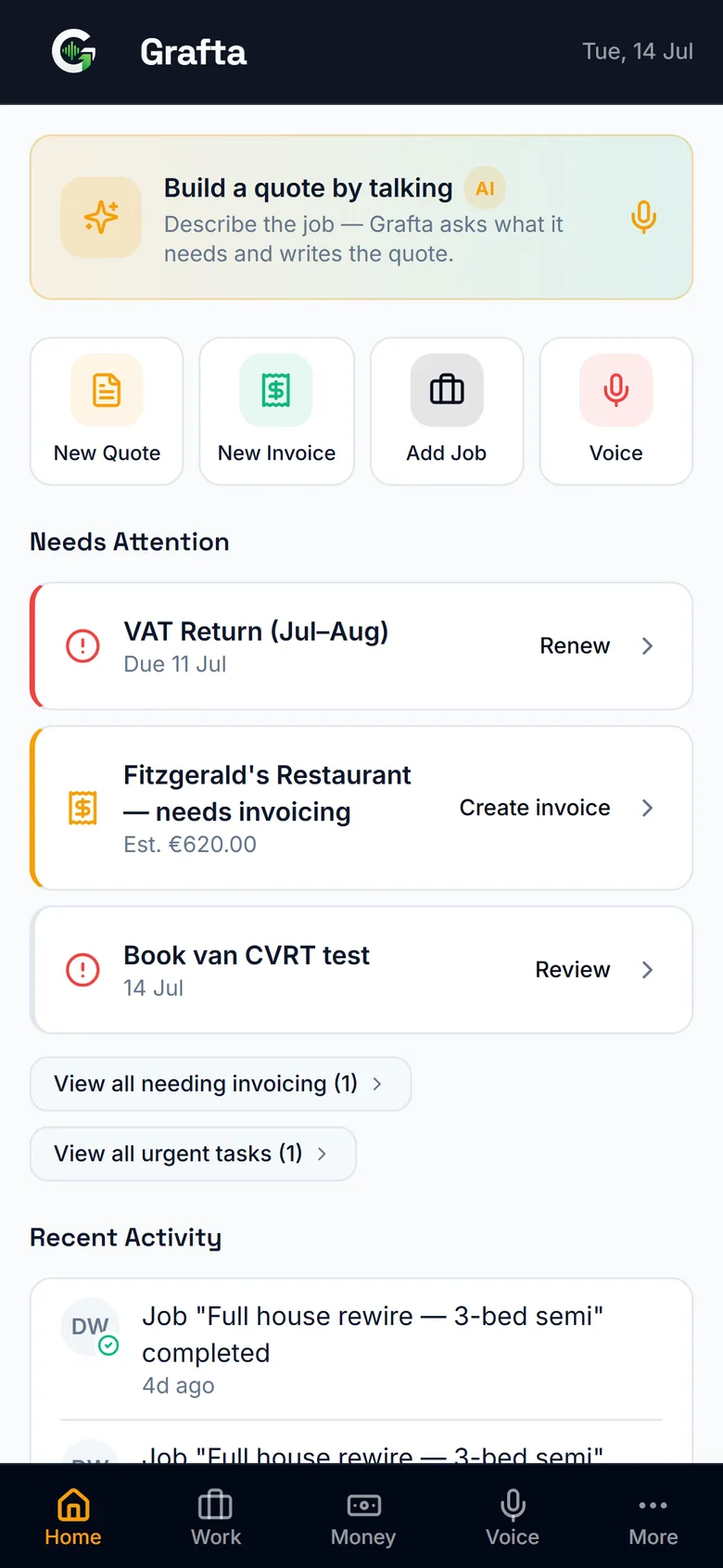
The dashboard leads with what's costing you money right now: overdue invoices with who owes what and for how long, quotes still waiting on a reply, and today's booked jobs. It's triage, not decoration — every item on it is something you can act on with a tap.
Money at risk, in plain sight
See the value tied up in unanswered quotes and unpaid invoices as real figures, not a feeling. When you can see €4,800 sitting in three overdue invoices, sending three prewritten reminders stops being a chore and starts being the best-paid five minutes of your week.
One screen instead of five apps
Without a system, this picture lives across a notes app, a banking app, a diary and your memory. The dashboard pulls quotes, invoices, jobs and schedule into one morning glance — because they're all in Grafta to begin with.
Know your win rate, not just your workload
The money view shows your quote funnel over the last 90 days: how many quotes went out, your acceptance rate, the value sitting in quotes that were opened but never answered, and what was declined — with the customer's own reasons. That last part matters: three declines that all say "price" tell you something no gut feeling can.
Good questions
What does the dashboard actually show?
Overdue invoices (who, how much, how long), quotes waiting for replies, jobs booked today, and money at risk — the live state of your business, drawn from your own quotes, invoices, jobs and schedule.
Do I have to set anything up?
No — the dashboard builds itself from your normal work. Send quotes, raise invoices, book jobs, and it starts telling you what needs attention.
Can I act on things straight from the dashboard?
Yes — tap through to the overdue invoice and send the prewritten reminder, open the waiting quote and follow it up, or jump into today's job. It's a to-do list that writes itself.
Related from Grafta
Everything else in the app
Try it on your next job
Start free — no card, no setup, your first quote in two minutes.
No card required. Cancel anytime.